How to Automate Your Sleep Consulting Business Without Losing the Personal Touch
Automation means setting up your business so that the repetitive, time-consuming tasks happen on their own, without you doing them manually every time. For sleep consultants this includes things like sending a welcome email the moment someone pays, adding a new subscriber to the right email sequence, moving a contact to the next stage when they book a call, or sending a two-week check-in without you having to remember. The four tools that make this possible are automations, tags, and campaigns. This article explains what each one is and how they work together.
In this guide
- Why automation actually protects the personal touch
- Tags: how to organise and segment your contacts
- Campaigns: your automated email sequences
- Automations and rules: the if/then logic that connects everything
- What to automate in your sleep consulting business
- What NOT to automate
- Common mistakes sleep consultants make
- Frequently asked questions
Why Automation Actually Protects the Personal Touch
The most common worry about automation is that it will make the business feel cold. Like clients are just numbers in a system. It's a completely valid concern, especially when your work is as personal as helping a family through sleepless nights.
Here's the thing though: the opposite tends to be true. When you're manually writing every welcome email, manually following up with every lead, and manually sending every check-in message, something always slips through the cracks. A parent pays and waits two hours for their welcome email because you're in a consultation. A warm lead goes cold because you forgot to follow up. A past client feels forgotten because you never found the moment to send that two-week check-in.
Automation handles the consistent, repeatable parts of your business so your energy and attention are available for the parts that genuinely need you: the consultation calls, the personalised sleep plan, the real conversation when a parent is struggling at 3am. You don't rise to the level of your goals. You fall to the level of your systems. And a well-built automation system is what makes consistency possible without burning out.
A warm welcome email that arrives within minutes of payment feels more looked after than one that arrives the next morning when you happened to check your inbox. Automated check-in messages during the follow-up phase, written in your voice and personalised to where the family is in the plan, show parents you care even when you're not actively in front of your laptop. That is the personal touch being protected, not replaced.
Tags: How to Organise and Segment Your Contacts
A tag is a label you attach to a contact in your system. Think of it like a sticky note on a file. "Newborn Lead." "Booked a Call." "Active Client." "Toddler Sleep Parent." "Testimonial Received." Tags let you instantly see who a person is, where they are in your journey, and what they've done, without having to read through a long history of notes.
Tags serve two purposes. First, they help you filter and find contacts. Want to see every parent who downloaded your newborn sleep guide but hasn't booked a call? Filter by tag. Want to see everyone who is currently in active support? One click. Second, tags trigger automations. When a specific tag is added to a contact, the system can automatically do something: add them to an email sequence, move them in your pipeline, or notify you to follow up.
Here are the types of tags every sleep consulting business should be using:
| Tag category | Example tags | What it enables |
|---|---|---|
| Lead source | Newborn Guide Lead, Toddler Checklist Lead, Webinar Attendee | Send the right nurture sequence for their specific interest |
| Pipeline stage | Call Booked, Proposal Sent, Paid, Active Client | Trigger the right follow-up or automation for their stage |
| Child's age group | Newborn Parent, Infant Parent, Toddler Parent | Send age-relevant content, tips, and resources |
| Engagement level | Not Right Now, Cold Lead, Warm Lead | Know who needs a follow-up and when to reach back out |
| Post-service | Service Complete, Testimonial Requested, Testimonial Received, Raving Fan | Trigger post-service sequences and track referral sources |
| Purchase history | Bought Digital Product, Completed Package, Workshop Attendee | Avoid sending offers for things they already own; personalise upsells |
Keep your tags clean and consistent. If you add a tag called "Paid" in one situation and "Active Client" in another for the same thing, your filters will miss contacts. Decide on your tag names, write them down, and use them exactly the same way every time.
Campaigns: Your Automated Email Sequences
A campaign is a pre-written sequence of emails that sends automatically, on a schedule, to a specific group of contacts. You write the emails once. The system sends them at the right time, to the right person, without you touching a single button.
Think of a campaign like a conversation you've pre-planned. When someone signs up for your lead magnet, they enter a nurture campaign. Over the next one to two weeks, they receive a series of emails that build trust, share your expertise, and invite them to book a call. You wrote those emails once. The campaign sends them hundreds of times, at exactly the right interval, without any manual effort from you.
Every sleep consulting business needs these campaigns as a minimum:
1. The nurture campaign (for new leads)
Triggered when someone downloads your lead magnet. Usually 5 to 7 emails over 1 to 2 weeks. Delivers value, shares your story, builds credibility, and ends with an invitation to book a Sleep Assessment Call. This campaign does the relationship-building work while you're asleep, in consultations, or enjoying your life. See How to Use Email to Convert Followers into Sleep Consulting Clients for how to write this sequence.
2. The welcome campaign (for new paying clients)
Triggered the moment payment is confirmed. Email 1 goes out immediately with everything they need to get started: a link to the intake questionnaire, how to schedule the consultation call, and a warm overview of what happens next. This campaign sets the tone for the whole working relationship. A parent who receives a professional, warm, immediate welcome feels immediately confident they made the right decision. See How to Onboard a Sleep Consulting Client for the full framework.
3. The support-phase check-in campaign (for active clients)
Triggered when the service begins. A series of short, warm check-in messages sent at key points during the plan period: a progress reminder, a celebration of wins, reassurance during the hard nights, and preemptive guidance before common challenges. Written in your voice, they feel personal even though they send automatically. See How to Run the Follow-Up Support Phase for the full message templates.
4. The post-service campaign (for completed clients)
Triggered when the active service ends. Three emails: a thank-you and testimonial request immediately after, a check-in at two weeks, and a reconnection at four weeks that gently mentions the possibility of a follow-up call or referring a friend. This campaign keeps the relationship alive after the engagement ends, which is where most of your referrals come from.
5. The re-engagement campaign (for cold leads)
Triggered when a contact has been in your list for 60 to 90 days with no engagement. A short 2 to 3 email sequence that offers something new, asks a direct question ("Is sleep still a challenge for your family right now?"), and gives them an easy path back to booking. If they still don't engage after this campaign, remove them from your active list. A clean, engaged list is more valuable than a large, unresponsive one.
Automations and Rules: the If/Then Logic That Connects Everything
An automation is a rule that says: if this happens, then do that. It's the engine that makes all the other pieces work together without manual input. Tags and campaigns are just data and content. Automations are what put them in motion at exactly the right moment.
You set them up once. From that point on, when the trigger condition is met, the action fires automatically. Here are the specific automations every sleep consulting business should have running:
Lead magnet sign-up
Then: add tag "Newborn Guide Lead" (or relevant tag) → add to nurture campaign → send to thank-you page
Sleep Assessment Call booked
Then: add tag "Call Booked" → remove from nurture campaign (so they don't keep receiving lead emails) → send confirmation email → send 24h and 1h reminders
Payment confirmed
Then: add tag "Active Client" → remove tag "Call Booked" → trigger welcome campaign → move to "Paid" stage in pipeline
Questionnaire submitted
Then: notify you to prepare the sleep plan → move contact to "Questionnaire Complete" stage in pipeline
Service end date reached
Then: remove tag "Active Client" → add tag "Service Complete" → trigger post-service campaign → add tag "Testimonial Requested"
Testimonial received
Then: remove tag "Testimonial Requested" → add tag "Testimonial Received" → trigger thank-you email with follow-up call offer
Notice what's happening in each rule: tags are being added or removed, contacts are moving through the pipeline, and campaigns are starting or stopping. Each automation is a single decision the system makes on your behalf, and every one of them used to require you to remember and do something manually.
What to Automate in Your Sleep Consulting Business
As a guide: automate anything you do the same way every time for every contact. If you'd do it identically for the 50th client as for the 1st, it should be automated.
- Lead magnet delivery and thank-you page redirect
- Nurture email sequences after sign-up
- Call booking confirmation and reminders (24h and 1h before)
- Welcome email immediately after payment confirmed
- Questionnaire delivery after welcome email is opened
- Support-phase check-in messages at predetermined intervals
- Post-service thank-you and testimonial request
- 2-week and 4-week post-service check-ins
- Pipeline stage updates triggered by actions (payment received, questionnaire submitted)
- Re-engagement sequences for inactive leads
- Tag removal when a contact moves forward (so they stop receiving emails intended for an earlier stage)
What NOT to Automate
Not everything should be automated. Some things genuinely need your personal involvement, and automating them would damage the relationship rather than support it.
- The proposal email after a Sleep Assessment Call. This should be personalised and sent by you, referencing specific things from the conversation. An automated proposal template feels generic and reduces conversion.
- The personal message sent between a booking and the call. This short, warm message before the Sleep Assessment Call should come from you directly. It's a trust-building moment that a generic automated email cannot replicate.
- Responses to direct replies. When someone replies to an email in your campaign, respond personally. Never use an automated reply to what is a genuine conversation starter.
- Follow-ups after a ghost or a "not right now." These require a personal, considered message that acknowledges the person's situation. An automated follow-up for a ghost reads exactly like an automated follow-up, which is the last thing that will re-open a conversation.
- Anything involving a sensitive client situation. If a parent is struggling emotionally during the process, your check-in at that moment needs to come from you, written by you, in response to what they've shared.
Common Mistakes Sleep Consultants Make
Building a complex automation before testing a simple one
Start with one automation, test it thoroughly by signing up as a fake lead yourself, and confirm every step works before building the next. A broken automation (one that sends the wrong email, adds the wrong tag, or fires at the wrong time) damages trust faster than no automation at all.
Not removing tags when a contact moves forward
If a contact gets tagged "Lead" when they sign up and you never remove it when they become a client, your tag system becomes meaningless. Every rule that fires when a new tag is added should also consider removing the old one. A client should not still be in your nurture sequence. A past client should not still be receiving the welcome campaign.
Treating campaigns as newsletters
A campaign is a triggered sequence for a specific segment at a specific moment in their journey. A newsletter is a broadcast you send to everyone at once. These are different things and should not be confused. Your welcome campaign should not be going to people who have been clients for six months. Your newsletter should not be going to cold leads who signed up two years ago and never engaged.
Using too many tools
Paying for separate tools for email marketing, scheduling, payment processing, funnel pages, and pipelines, and trying to get them to talk to each other, creates fragility, cost, and hours of troubleshooting. An all-in-one platform where tags, campaigns, automations, and your pipeline all live in the same system is dramatically simpler, cheaper, and more reliable. Consolidating tools doesn't just save money. It saves the mental overhead of jumping between dashboards.
Never reviewing what you've built
Automations are not set-and-forget forever. Review your sequences every six months. Do the emails still sound like you? Are the offers still relevant? Are open rates telling you something isn't landing? A nurture campaign you wrote eighteen months ago may no longer reflect your current pricing, packages, or positioning.
Frequently Asked Questions
How many emails should be in a nurture campaign?
Five to seven emails over one to two weeks is a good starting point for most sleep consulting businesses. The goal is to deliver enough value and build enough trust that the parent feels ready to book a Sleep Assessment Call, without sending so many emails that they unsubscribe. Email 1 delivers the freebie and warms them up. Emails 2 to 5 build credibility and demonstrate your expertise. Email 6 or 7 is a clear invitation to book.
What's the difference between a campaign and a broadcast?
A campaign is a triggered sequence. It starts for a specific contact when a specific event happens (they sign up, they pay, the service ends). A broadcast is a one-time email sent to a list at a specific moment, like a newsletter or an announcement. Campaigns run on autopilot. Broadcasts are manually sent. Both have a place in a sleep consulting business, but they serve completely different purposes.
How do I know if my automations are working?
Test every workflow yourself before it goes live. Sign up using a personal email address, go through each step exactly as a lead would, and confirm every email arrives with the right content at the right time. After launch, check open rates and click rates on your campaigns. Low open rates suggest subject lines need work. Low click rates suggest the email content isn't compelling enough to act on. Check your campaign analytics at least quarterly.
Do I need technical skills to set up automations?
Not with modern all-in-one business platforms. Most are built with visual drag-and-drop workflow builders and step-by-step setup guides. If you can set up a Calendly link and write an email, you have the skills needed. The concepts (tags, campaigns, automations) are the part that takes a moment to understand, which is exactly what this article is for. The technical execution is usually much simpler than it sounds.
Where should I start if I've never set up any automation?
Start with the welcome email. Set up one automation: if payment is confirmed, send the welcome email immediately. That single automation is the highest-impact thing you can do in the shortest time. Once that's working, add the nurture campaign for new leads. Then the post-service sequence. Build one piece at a time, test each one before adding the next, and within a few weeks you'll have a complete automated backbone running behind your business.
Key Takeaways
- Automation protects the personal touch by handling the consistent, repetitive parts so your attention goes to the moments that genuinely need a human.
- Tags are labels that tell your system who a contact is, where they are, and what they've done. Keep them clean and consistent.
- Campaigns are pre-written email sequences that trigger automatically at the right moment: nurture, welcome, support check-ins, post-service, and re-engagement.
- Automations are if/then rules that connect everything: if this happens, then do that. They fire tags, start campaigns, update pipelines, and send notifications.
- Start with one automation (the welcome email), test it, then add the next. Build one piece at a time.
- Don't automate the proposal, personal follow-ups, or direct replies. Those are the moments where your personal involvement is the product.
This week: identify the one task you do manually every single time for every new client or lead. Set up the automation for that single thing. Everything else follows from there.
Disclaimer: The information shared in these articles is for educational and informational purposes only. It does not constitute legal, financial, or professional advice. Always consult with a qualified professional regarding your specific situation.
Rianna Hijlkema
Certified Pediatric Sleep Consultant, Certified Postpartum Doula, Former Teacher & School Director, Founder of Sleep Consultant Design & Sleep Consultant Business and the author of The Sleep Consultant Playbook (available on Amazon).
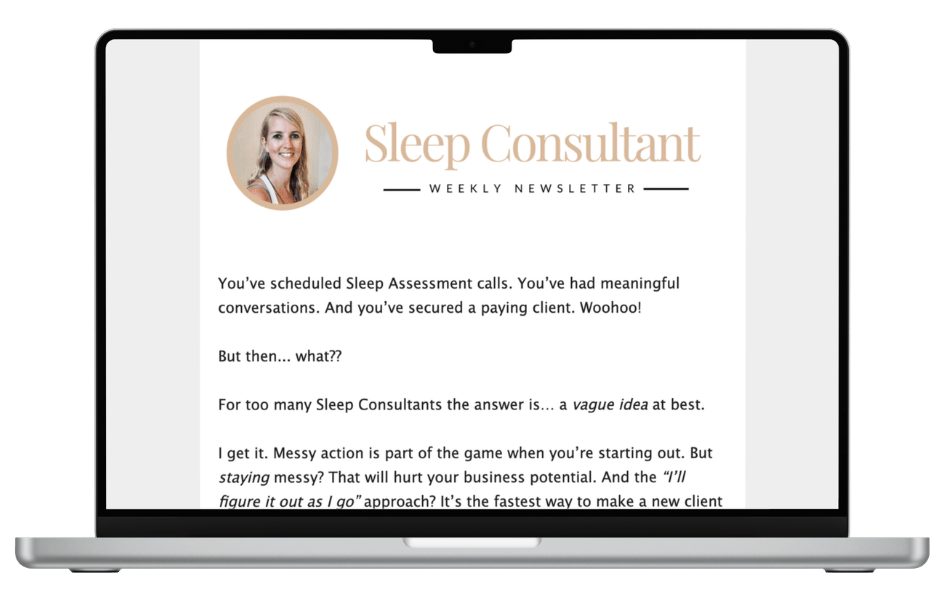
The Sleep Consultant Newsletter
Weekly tips, strategies and marketing ideas for sleep consultants written by a fellow sleep consultant. 1500+ active subscribers!
I’ll only send helpful emails, and you can unsubscribe anytime with one click.
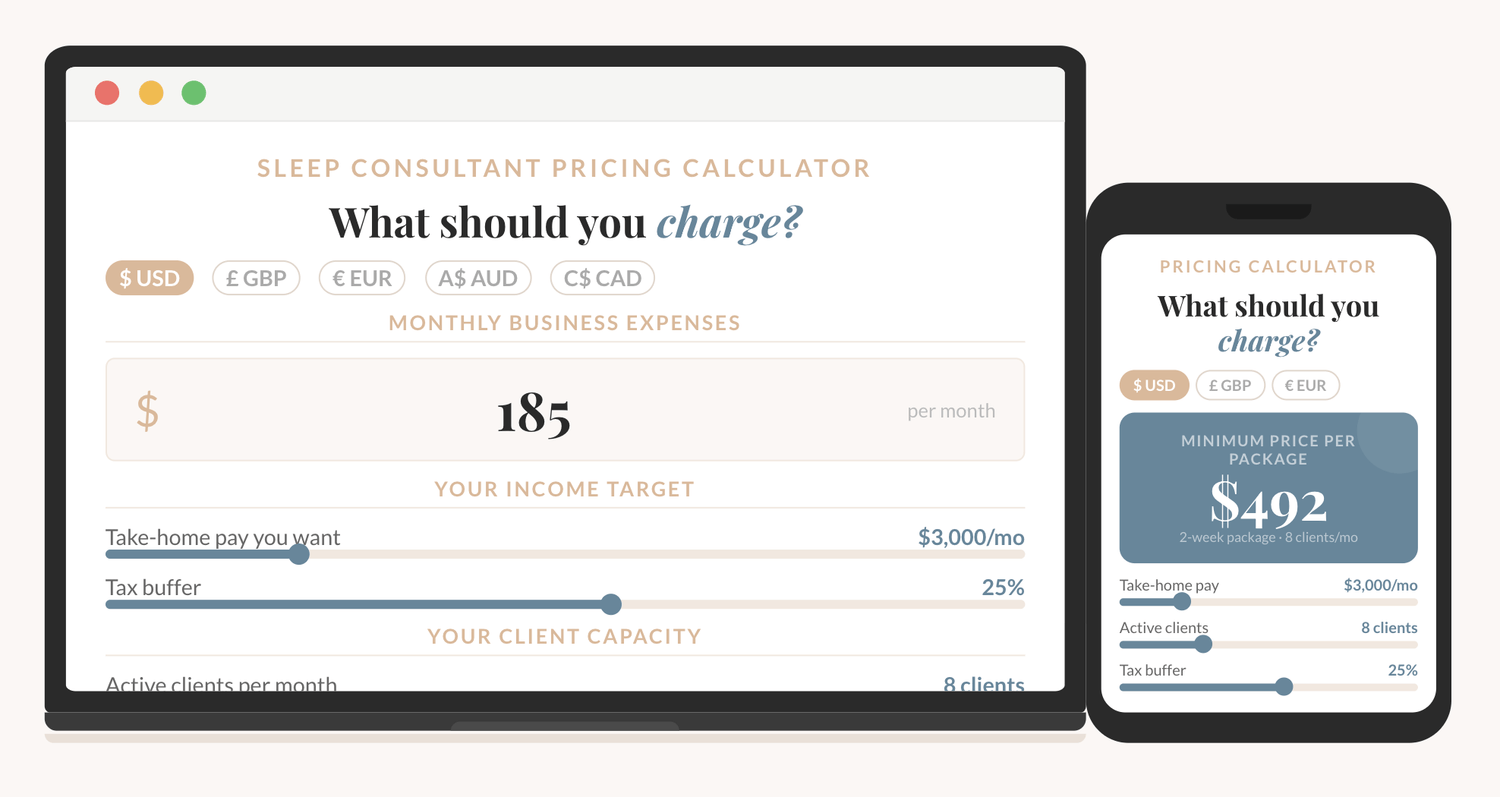
How to price your sleep consulting services?
The Sleep Consultant Pricing Calculator shows you exactly what to charge, based on your real expenses, your income goal, and how many clients you want to take on.
I'm thrilled to offer you an exclusive preview of what’s inside!
You can read the first 22 pages of The Sleep Consultant Playbook and get a taste of the value, insights, and actionable strategies that are waiting for you.
Other articles you might be interested in:
© 2021-2026 Sleep Consultant Business. All Rights Reserved.