
What You Need to Include in Your Sleep Consultant Website Footer
Every sleep consultant website footer needs five things at minimum: a privacy policy, terms and conditions, a professional disclaimer, a copyright notice with the current year, and your business name. Missing any one of these can expose you to legal liability, violate privacy regulations like GDPR or CCPA, or quietly undermine the professional credibility you're working to build. This guide walks through each one, explains how to set it up, and includes a checklist you can run against your site right now.
In this guide
- Why your footer matters more than you think
- Privacy policy: the non-negotiable
- Terms and conditions
- Professional disclaimer
- Copyright notice
- Cookie banner: what it is and how to set it up
- Other useful footer elements
- Footer audit checklist
- Common mistakes sleep consultants make
- Frequently asked questions
Why Your Footer Matters More Than You Think
Let's be honest. When you DIY'd your website, the footer was probably the last thing on your mind. You were busy figuring out how to write your about page, get your services looking right, and upload a decent photo of yourself. The footer felt like a technicality: stick your business name at the bottom, maybe a copyright symbol, job done.
That's completely understandable. The footer is the least exciting part of any website build. It's not where you show off your brand or your story. It's just... the bottom. But that "just the bottom" is where the legal essentials live, and skipping them can cost you far more than the twenty minutes it takes to set them up properly.
A missing privacy policy can mean a fine. A missing disclaimer leaves you without protection if a client ever feels your advice didn't get the results they expected. A copied-and-pasted terms page that belongs to another business is legally worthless. And an outdated copyright year quietly tells every visitor this website hasn't been touched in years.
If you worked with a web designer, this should already be handled. It's absolutely part of the job, and a good designer will have taken care of it. If you're not sure, reach out and ask them to confirm what's been set up. If you built your own site, this article is your checklist. Go through it and fix whatever needs fixing. It's not complicated, and it makes a real difference.
The footer also signals trust. A parent evaluating whether to book with you will often scroll to the bottom of your site. A complete, professional footer with working links to your legal pages tells them you're a real, established business. If they find nothing there, or broken links, that doubt is real, even if they can't name exactly what's missing.
A sleep consultant I know copied a privacy policy from a competitor's website to save time. What she didn't know was that the policy required a paid legal subscription to use, which she hadn't bought. The policy wasn't valid, and she ended up facing a $3,000 fine. The time she saved writing the policy cost her far more in the end. Always use a policy that's genuinely yours: either written for you, or generated by a reputable tool you've actually paid for (or that genuinely offers a free tier).
Privacy Policy: The Non-Negotiable
A privacy policy is not optional if your website collects any data from visitors, and almost every website does. Contact forms, email sign-up forms, booking links, payment processing, Google Analytics: all of these involve collecting or using personal data. Laws like GDPR (which applies to anyone with visitors in Europe), CCPA (California), and similar rules in other countries require you to have a clear, accessible privacy policy that explains what you collect and why.
Your privacy policy needs to cover these points at minimum:
- What information you collect. Name, email address, payment details, any information collected through your intake questionnaire. Name it specifically rather than using vague language.
- How you use it. To deliver your service, send email communications, process payments. Be specific and honest.
- Who you share it with. If any third party receives client data as part of your workflow (payment processors, scheduling tools, email platforms), it needs to be disclosed.
- How clients can access, update, or delete their data. Particularly important under GDPR, but good practice everywhere.
- How long you keep data. How long do you hold on to client records, questionnaire responses, and payment history? State this clearly.
How to create yours: Use a reputable privacy policy generator. Termly (termly.io), iubenda (iubenda.com), and Privacypolicies.com all offer legitimate free or low-cost options. These tools ask you a series of questions about your business: what you collect, what tools you use, where your clients are based. They generate a customised policy you can legally use. It takes about 20 to 30 minutes. Once it's done, add it as a page on your website and link it in your footer.
GDPR (EU/UK): Applies if any of your website visitors or clients are in Europe. Requires explicit consent for cookies and marketing emails, clear data retention timelines, and a right to erasure. CCPA (California, USA): Applies if you have California-based visitors and meet certain revenue thresholds. Requires disclosure of any data selling practices. Australia (Privacy Act): Formally applies above AUD $3 million turnover, but having a policy is good practice regardless. Canada (PIPEDA): Requires consent and transparency around data collection. When in doubt, write a policy that meets GDPR standards. It's the most thorough and satisfies most other jurisdictions as a baseline.
Terms and Conditions
Your website terms and conditions are different from your client contract. Your client contract covers the specific agreement between you and a paying client. Your website terms cover how anyone (visitor, potential client, or existing client) can use your website and its content. Both matter, and both need to exist.
Your website terms and conditions should cover:
- Intellectual property. Your content (blog posts, sleep plans, resources, graphics) belongs to you. Visitors may not copy, reproduce, or share it without permission.
- Limitation of liability. The information on your website is for general information only. It's not medical advice, and you're not liable for how visitors interpret or apply it.
- Third-party links. If you link to other websites, you're not responsible for their content.
- Acceptable use. How people may and may not use your website and its content.
- Governing law. Which country or state's laws apply to the terms.
How to create yours: The same tools that generate privacy policies (Termly, iubenda) also generate terms and conditions. Run through the generator, answer the questions, and you'll have a usable document in under 30 minutes. If you sell digital products or courses directly from your website, make sure the generated terms also cover your refund policy and what happens if a digital product isn't as described.
Professional Disclaimer
As a sleep consultant, you give advice that parents use to make decisions about their child's sleep. That's a real responsibility, and your disclaimer is what makes clear, in writing, that your advice is not medical advice and that results will vary. It protects you if a client ever claims your guidance caused harm, and it sets honest expectations from the start.
Your disclaimer should clearly state:
- You are a certified sleep consultant, not a medical professional. Your advice is not a medical diagnosis or treatment.
- Parents with concerns about their child's health should always consult a doctor before implementing any sleep plan.
- Results are not guaranteed. Every child is different. Outcomes depend on temperament, developmental stage, parental consistency, and factors outside your control.
- The content on your website is for informational and educational purposes only.
How to add it: Your disclaimer can live as its own page (linked in the footer), or it can be included as a section within your terms and conditions. Either works. The important thing is that it's there, accessible, and linked. The same language should also appear in your client contract so there's no way anyone can claim they weren't aware of it.
Copyright Notice
Simple, and often wrong. The copyright notice in your footer should look like this:
The year should always be the current year, or a range if your site has been running for several years (e.g., © 2022–2026). If you leave an outdated year in the footer, visitors notice it even if they don't consciously register why. It signals a site that hasn't been maintained.
How to keep it updated automatically: Instead of manually updating it each year, you can use a small JavaScript snippet that always shows the current year. Add this code into your website's footer HTML wherever you want the year to appear:
This way the year updates itself every January without you having to remember. Most website builders let you edit the footer HTML directly. Look for an "HTML block" or "Custom code" option in your footer settings. If your platform doesn't support inline JavaScript, just set a calendar reminder every January to update the year manually. It takes thirty seconds.
The copyright notice protects your original content (blog posts, sleep plan templates, website copy, resources you've created) from being copied without permission. It tells visitors your materials belong to you and are not free to use.
Cookie Banner: What It Is and How to Set It Up
If you have visitors in Europe (or the UK), GDPR requires you to tell them your website uses cookies and get their consent before placing non-essential ones. Cookies are small files that websites save on a visitor's browser to track behaviour, remember preferences, or run analytics tools. Almost every website uses them: Google Analytics, booking tools, and most website builders all place cookies automatically.
A cookie banner is the pop-up or bar that appears the first time someone visits your site, telling them cookies are in use and giving them the option to accept or manage them. You'll also need a cookie policy page explaining which cookies your site uses and why.
How to set it up step by step:
- Choose a cookie consent tool. Cookiebot (cookiebot.com), CookieYes (cookieyes.com), and Complianz (complianz.io) are all reputable options. Most offer a free plan that works for small websites. These tools scan your site, identify which cookies are being placed, and generate both the banner and the policy page for you.
- Sign up and connect it to your website. Each tool gives you a short snippet of code to add to your website's header. In most website builders this is done through the site settings under "Custom code" or "Third-party integrations." Paste the code and save.
- Customise the banner text. The banner should clearly say your site uses cookies, give a brief reason why, and offer buttons to accept all, reject non-essential, or manage preferences. Keep the language plain and simple, not legal jargon.
- Add your cookie policy page. The tool will generate this for you automatically. Add it as a page on your site and link it in your footer alongside your privacy policy.
- Test it. Open your website in an incognito browser window (which simulates a first-time visitor) and confirm the banner appears. Click through the options to make sure they work. Check that the cookie policy link opens correctly.
If you're primarily serving clients in countries without cookie consent requirements (some US states, for example, don't require it), you may not legally need a cookie banner. That said, having one never hurts and signals professionalism to any visitor regardless of where they're based.
Other Useful Footer Elements
Once the legal essentials are in place, consider these additions:
- Refund policy. If you sell digital products, courses, or consulting packages from your site, a clear refund policy reduces disputes and builds buyer confidence. Link it in the footer alongside your other policies.
- Contact information. An email address or contact page link makes you easy to reach and adds credibility to the footer.
- Social media links. If you're active on Instagram, Facebook, or LinkedIn, the footer is a natural place to link to your profiles.
- Quick navigation links. Services, About, Blog, Contact: a small set of useful links in the footer helps visitors who've scrolled to the bottom find what they're looking for without scrolling all the way back up.
Footer Audit Checklist
Open your website right now and check these off:
- Privacy policy link is present and working
- Privacy policy is yours (not copied from another site)
- Privacy policy covers what data you collect, why, and who it's shared with
- Terms and conditions link is present and working
- Disclaimer is present (either as its own page or within your terms)
- Copyright notice includes the current year and your business name
- Cookie banner appears on first visit (if you have European visitors)
- Cookie policy page exists and is linked in the footer
- Refund policy linked (if you sell products or packages online)
- Contact information or contact page link present
- All footer links open correctly (test on both desktop and mobile)
Common Mistakes Sleep Consultants Make
Copying policies from other websites
Already covered above, but worth repeating: a policy that isn't yours offers you no protection. Use a reputable generator or have one drafted for your specific business. Either is better than copying from a competitor, as the $3,000 fine story above illustrates.
Not updating the copyright year
Use the JavaScript snippet above to keep it automatic. If your platform doesn't support it, set a recurring reminder every January. Leaving a 2022 copyright on a 2026 website tells visitors the site hasn't been touched in years, which is not the impression you want to give.
Treating the privacy policy as something you write once and forget
Every time you add a new tool to your business (a new booking system, a payment processor, an email platform) your privacy policy may need updating to reflect the new third party receiving client data. Review it annually, or whenever you make a significant change to your workflow.
Skipping the disclaimer
As a sleep consultant, you give advice that parents act on. A disclaimer is not a sign of lacking confidence in your expertise. It's a clear statement of where your role ends and a doctor's begins. It protects you, and it sets honest expectations with clients from the very first visit.
Broken links in the footer
A broken privacy policy link is worse than no link at all. It looks like you set something up once and abandoned it. Test every footer link on both desktop and mobile, and make sure they all open correctly.
Frequently Asked Questions
Do I need a lawyer to write my website policies?
Not for a standard solo sleep consulting business. A reputable policy generator (Termly, iubenda, Privacypolicies.com) produces legally sufficient policies for most jurisdictions and customises them to your answers. If you're doing business in multiple countries at scale, a one-time legal review is worth the investment, but for most newly certified consultants, the generator route is fine.
My website was built from a template. Does it already have these pages?
Some templates include placeholder policy pages, but placeholder text is not a real policy. You need to replace the template content with policies that are specific to your business, your data practices, and your jurisdiction. The page structure is there. The content still needs to be yours.
I don't really market my website actively. Do I still need all this?
Yes. The moment a visitor lands on your site (even occasionally) it collects data (from analytics tools, booking widgets, contact forms). The policies need to be there regardless of how much traffic you're actively driving to the site.
Should policy links open in a new tab or the same window?
New tab is better. It means the visitor doesn't lose their place on your main website when they click through to read a policy.
How often should I review my footer and policies?
Once a year minimum, ideally in January so you catch the copyright year update at the same time. Also review whenever you add a new tool to your workflow, change how you collect data, or make a significant change to your services or pricing.
Key Takeaways
- Your footer is a legal and credibility issue, not just a design detail. A complete footer with working links builds trust. A missing or broken one creates doubt.
- Privacy policy is non-negotiable. GDPR, CCPA, and similar laws require it. Use a reputable generator, never copy from another site.
- Terms and conditions protect your content and limit your exposure if visitors misuse information from your website.
- A professional disclaimer makes clear your advice is not medical, that results vary, and that parents should see a doctor for health concerns.
- Use the JavaScript snippet for your copyright year so it updates automatically. If your platform doesn't support it, set a January reminder.
- Cookie banners are required in Europe. Use a tool like Cookiebot or CookieYes to set up both the banner and the cookie policy page in under an hour.
- If a web designer built your site, ask them to confirm these are all in place. It's part of the job, and a good designer will have taken care of it.
Block twenty minutes this week. Open your website, scroll to the footer, and work through the checklist. It's not the exciting part of running a sleep consulting business, but having it right means you never have to think about it again.
Disclaimer: The information shared in these articles is for educational and informational purposes only. It does not constitute legal, financial, or professional advice. Always consult with a qualified professional regarding your specific situation.

Rianna Hijlkema
Certified Pediatric Sleep Consultant, Certified Postpartum Doula, Former Teacher & School Director, Founder of Sleep Consultant Design & Sleep Consultant Business and the author of The Sleep Consultant Playbook (available on Amazon).
The Sleep Consultant Newsletter
Weekly tips, strategies and marketing ideas for sleep consultants written by a fellow sleep consultant. 1500+ active subscribers!
I’ll only send helpful emails, and you can unsubscribe anytime with one click.
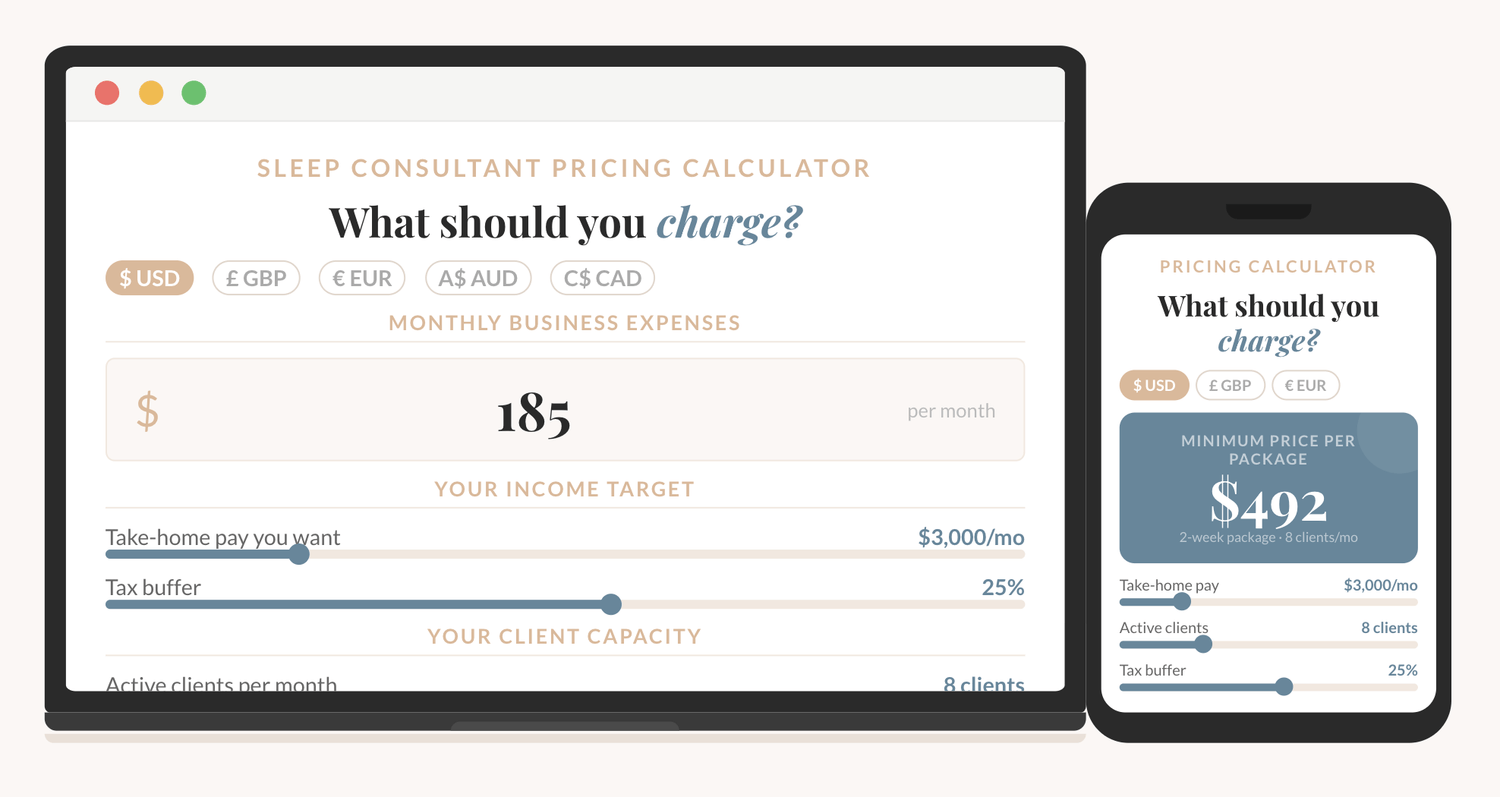
How to price your sleep consulting services?
The Sleep Consultant Pricing Calculator shows you exactly what to charge, based on your real expenses, your income goal, and how many clients you want to take on.

I'm thrilled to offer you an exclusive preview of what’s inside!
You can read the first 22 pages of The Sleep Consultant Playbook and get a taste of the value, insights, and actionable strategies that are waiting for you.
Other articles you might be interested in:
© 2021-2026 Sleep Consultant Business. All Rights Reserved.