DIY Logo Mistakes Sleep Consultants Make and How to Avoid Them
You can absolutely design your own sleep consultant logo using Canva, an AI logo generator, or a similar tool, and the result can look genuinely professional. The mistakes that trip most sleep consultants up are not about design skill. They're about font licensing, image rights, file formats, and building a logo that's specific enough to stand out. This guide covers what to do, what to watch out for, and what questions to ask before you finalise anything.
In this guide
- What your logo actually does
- Before you open Canva: your brand foundations first
- Designing in Canva: how to do it and what to watch for
- AI logo generators: useful, but with caveats
- Font licensing: the mistake that bites later
- File formats: save it right the first time
- Common logo mistakes sleep consultants make
- Frequently asked questions
Your logo will be everywhere. On your website, your social media profiles, your sleep plan templates, your invoice emails, your business cards if you have them. Getting it right matters. Getting it wrong means either living with something that doesn't represent you, or rebuilding your brand further down the line.
The good news: you don't have to be a designer. Canva has made professional-looking logo design genuinely accessible. AI tools have made it even faster. The risks are not about skill. They're about the things nobody tells you before you start, which is exactly what this article covers.
What Your Logo Actually Does
A logo is not your brand. Your brand is the full experience people have with your business: your voice, your values, how you make families feel, the quality of your sleep plans, the warmth of your follow-up messages. A logo is the visual shorthand for all of that: the mark that makes you instantly recognisable once parents already know who you are.
A great logo is memorable, specific, and consistent with your overall brand identity. It doesn't need to be complicated. Some of the most effective logos are just a distinctive combination of a font and a simple graphic element. What it does need is to feel intentional, like someone thought about who you serve and what your business stands for, and translated that into a visual.
Before You Open Canva: Your Brand Foundations First
The most common reason a DIY logo ends up looking generic is that the person designing it went straight to Canva without deciding what they were trying to communicate first. Your logo should be built on top of your brand identity, not the other way around.
Before you design anything, get clear on:
- Your brand colours. Choose 2 primary colours and 2 neutral tones. Write down their hex codes. Soft blues and greens feel calm and trustworthy. Warm tones feel nurturing and approachable. Whatever you choose, make sure it reflects the feeling you want parents to associate with you. The Canva Colour Palette Generator is a useful starting point if you're not sure where to begin.
- Your brand fonts. Pick 3: one for headings, one for body text, and optionally one accent font for details. Serif fonts (like those with small strokes at the letter ends) feel classic and professional. Sans-serif fonts feel modern and approachable. Google Fonts has hundreds of free, high-quality options that are available across all platforms and are safe to use commercially.
- The feeling you want to convey. Calming and gentle? Clinical and expert? Warm and playful? Grounded and trustworthy? Your logo should express one clear feeling, not try to be all of them at once.
With these decisions made, you're ready to design something that actually represents your brand rather than something that just looks nice in isolation.
Designing in Canva: How to Do It and What to Watch For
Canva is the most accessible logo design tool for sleep consultants who aren't professional designers. It's free to start, has a large library of templates and graphic elements, and allows you to download your finished logo in multiple formats. Here's how to approach it well.
Starting point: Search "logo" in Canva to find the logo templates. Rather than picking one and editing it minimally, use templates as inspiration only. Browse them to understand the structures you like (icon + business name, business name only, lettermark, emblem), then build your own using your brand colours and fonts. A logo that started from a template and was heavily customised will feel more genuinely yours than one where you swapped the text and called it done.
What to watch for with Canva elements:
- Check the licence on every element you use. In Canva, click on any graphic element and look for the content licence information. Canva's free plan has licensing restrictions on some elements. Certain graphics cannot be used for commercial purposes without a paid Canva Pro subscription. If you're not sure, either upgrade to Pro, use only elements clearly marked as free for commercial use, or replace them with your own graphics.
- Be careful with Canva fonts in logos. Many fonts available in Canva are licensed for personal or editorial use but not for use in a logo or as a trademark. If you plan to trademark your logo in future, this matters a great deal. Stick to fonts from Google Fonts (fonts.google.com). These are open source and safe for commercial and trademark use.
- Avoid heavily used templates. If thousands of other businesses have used the same Canva template with minimal changes, your logo won't feel distinctive. The more you customise, the more it becomes yours.
AI Logo Generators: Useful, But With Caveats
AI logo tools like Looka, Tailor Brands, and Hatchful (by Shopify) have become popular because they can generate a range of logo options quickly based on your preferences. You enter your business name, pick a style direction, and the tool produces multiple options to choose from. For a sleep consultant who wants something professional without investing in a designer, these can be a useful starting point.
What to be mindful of when using these tools:
- Read the ownership terms carefully. Some AI logo tools retain certain rights to the designs they generate, or the generated logos are non-exclusive, meaning another business using the same tool with similar inputs could end up with a near-identical logo. Check what the specific tool's terms say about your rights to the final design before paying for anything.
- Check what's included in the free version. Most AI logo tools offer a free preview but charge for the high-resolution download and full commercial usage rights. Make sure you understand exactly what you're purchasing before you download and start using the logo across your business.
- Verify the fonts and graphics used. AI tools often pull from font and icon libraries. Ask or check documentation to confirm that any fonts used in your generated logo are commercially licensed, especially if you ever want to trademark it.
- AI logos can look similar to each other. Because these tools draw from the same design patterns, there's a risk that your logo resembles what another sleep consultant got from the same tool. Do a Google image search of your final design to check for significant visual similarities before committing to it.
Font Licensing: the Mistake That Bites Later
This is the one that trips up the most sleep consultants who design their own logos, and the consequences can be genuinely costly.
Not all fonts are free to use commercially. Some fonts are licensed for personal use only, meaning you can use them in a document for yourself, but not in a business logo, on a commercial product, or in a trademark application. Using a font outside its licence is a copyright violation, and while enforcement is rare for small businesses, it becomes a significant problem if you ever want to trademark your logo or if the font creator comes after you.
The safest approach: Use fonts from Google Fonts (fonts.google.com) for any commercial use. Every font in the Google Fonts library is released under the SIL Open Font Licence or the Apache Licence, both of which allow commercial use including in logos and trademarks. It's free, the selection is excellent, and you'll never have a licensing problem.
If you're using a font from another source, read its licence before you use it. Look for the terms "commercial use allowed" or "SIL Open Font Licence." If the terms only say "free for personal use," that font is not safe for a business logo.
File Formats: Save It Right the First Time
Your logo will be used in different contexts: on screen, in print, on a dark background, on a light background, at small sizes and large sizes. Saving it in only one format will create problems. Save your final logo in all four of these formats before you do anything else:
| Format | Use for | Why |
|---|---|---|
| JPG | Website, social media headers | Small file size, good for web use |
| PNG | Digital documents, email headers | High quality without transparency |
| Transparent PNG | Overlaying logo on any background | No white box around the logo |
| SVG | Print materials, large-format use | Scales to any size without losing quality |
In Canva, you can download in PNG and SVG (SVG is available on the Pro plan). For transparent PNGs, select "Background Remover" before downloading. This removes the white background and leaves only the logo itself. Keep all four versions in a dedicated folder labelled "Brand Assets" so you never have to recreate them.
Common Logo Mistakes Sleep Consultants Make
Using a generic template without customising it
Swapping the name and keeping the rest of a popular Canva template unchanged is the fastest route to a logo that looks like ten other sleep consultants' logos. Use templates for structural inspiration only. Customise the fonts, colours, icon, layout, and spacing until it genuinely reflects your brand.
Rushing the design process
Your logo will live on everything you do for years. It's worth spending a few sessions on it rather than finishing it in twenty minutes. Sketch some ideas on paper before you open any software. Try different combinations of symbols, layouts, and fonts. Step away if you get stuck. Inspiration often arrives when you're not staring at the screen.
Using a font without checking the licence
Covered in detail above, but it bears repeating: if you didn't get the font from Google Fonts, or didn't read the specific licence of the font you're using, you may be building your brand on a foundation that creates legal problems later. Check before you commit.
Only saving in one file format
Many sleep consultants save a JPG and move on. Then they try to put their logo on a coloured background and get a white box around it. Or they try to print something large and the logo looks pixelated. Export all four formats before you start using the logo anywhere. It takes five minutes and saves real headaches later.
Designing the logo before the rest of your brand
A logo designed before you've decided on your brand colours, fonts, and the feeling you want to convey tends to end up feeling disconnected from the rest of your visual identity. Get the foundations right first (colours, fonts, brand personality) then design the logo as an expression of those decisions rather than the starting point for them.
Letting other people's opinions override your instinct
Your logo needs to resonate with your ideal clients, not with your partner, your mother, or the people in a Facebook group who voted on it. Get feedback from people you trust, but make the final call yourself. The best logo is one that feels genuinely right to you and reflects the business you're building.
Frequently Asked Questions
Do I need to trademark my logo?
Not when you're just starting out. Trademarking is expensive to register and even more expensive to enforce if challenged. Most newly certified sleep consultants are better off investing that money in growing the business. If and when your brand reaches a point where protecting it feels necessary, that's the time to look into it. For now, focus on creating a distinctive logo and registering your business name, which gives you some baseline protection in your jurisdiction.
Can I use Canva's free plan to create a commercial logo?
Yes, with conditions. Any element marked as free in Canva can be used commercially. Elements marked as Pro (indicated by a crown icon) require a Canva Pro subscription for commercial use. If you create a logo using only free elements and your own uploaded fonts (from Google Fonts, for example), you're fine on the free plan. If you want access to the full element and template library, upgrade to Pro before you finalise.
What if I can't afford a designer right now?
A clean, simple, well-considered DIY logo is better than no logo. And Canva genuinely produces professional results when used thoughtfully. Start with the DIY approach, apply the guidelines in this article, and revisit it when you have the budget for a professional brand refresh. Many successful sleep consultants have launched with a Canva logo and upgraded later as the business grew. Don't let the logo become a reason to delay starting.
How do I know if my logo is too similar to someone else's?
Do a Google Images reverse search of your finished logo (upload the image to images.google.com and search). Also search your business name alongside "sleep consultant" to see what existing logos come up in the results. If anything looks visually close (similar font treatment, similar icon, similar colour palette) adjust yours until there's a clear difference. Similarity is both a legal risk and a brand clarity problem.
Key Takeaways
- Build brand foundations before you design the logo. Decide on colours, fonts, and the feeling you want to convey, then design the logo as an expression of those decisions.
- In Canva, check the licence on every element. Free elements are safe. Pro elements require a subscription for commercial use. Templates are inspiration, not a finished product.
- For fonts, use Google Fonts. Every font in the library is cleared for commercial and trademark use. If you're using a font from anywhere else, read its licence before you use it in a logo.
- AI logo tools are useful but read the ownership terms first. Check what rights you get with the final design, verify font licensing, and do a visual similarity search before committing.
- Save in all four formats: JPG, PNG, transparent PNG, and SVG. Do this before you start using the logo anywhere.
- A good DIY logo is better than a delayed launch. Start with what you can create thoughtfully today and upgrade when the business supports it.
Take your time with this one. Sketch first, design second, check licensing third, export last. Done in that order, your logo will be something you're genuinely proud to put on everything.
Disclaimer: The information shared in these articles is for educational and informational purposes only. It does not constitute legal, financial, or professional advice. Always consult with a qualified professional regarding your specific situation.

Rianna Hijlkema
Certified Pediatric Sleep Consultant, Certified Postpartum Doula, Former Teacher & School Director, Founder of Sleep Consultant Design & Sleep Consultant Business and the author of The Sleep Consultant Playbook (available on Amazon).
The Sleep Consultant Newsletter
Weekly tips, strategies and marketing ideas for sleep consultants written by a fellow sleep consultant. 1500+ active subscribers!
I’ll only send helpful emails, and you can unsubscribe anytime with one click.
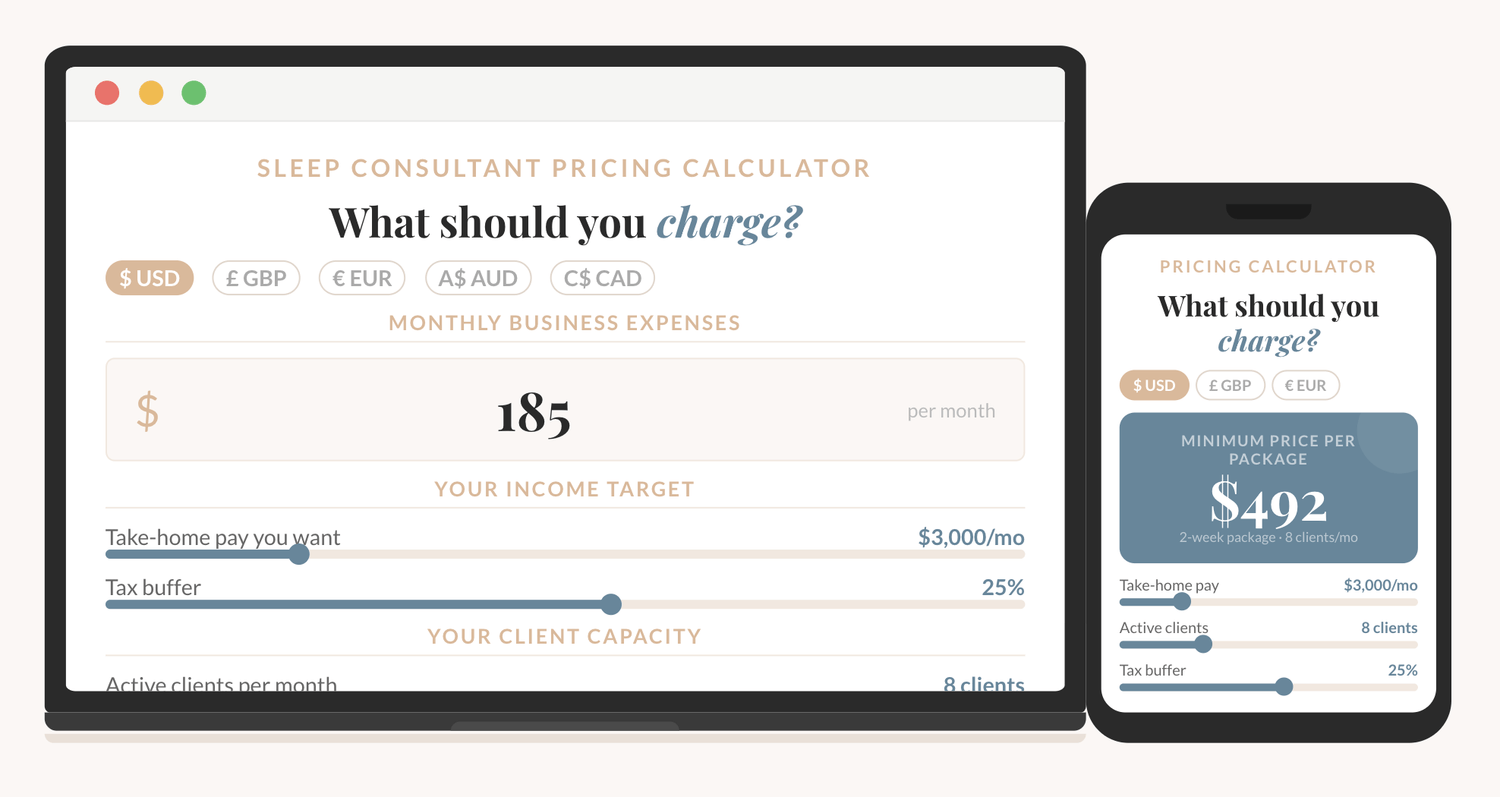
How to price your sleep consulting services?
The Sleep Consultant Pricing Calculator shows you exactly what to charge, based on your real expenses, your income goal, and how many clients you want to take on.
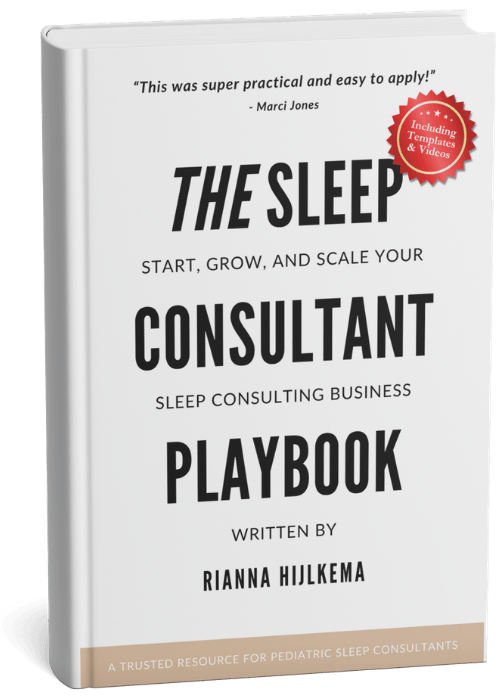
I'm thrilled to offer you an exclusive preview of what’s inside!
You can read the first 22 pages of The Sleep Consultant Playbook and get a taste of the value, insights, and actionable strategies that are waiting for you.
Other articles you might be interested in:
© 2021-2026 Sleep Consultant Business. All Rights Reserved.